How to (Responsibly) Use AI
Using LLMs and Agentic AI to improve workflow without looking like a buffoon
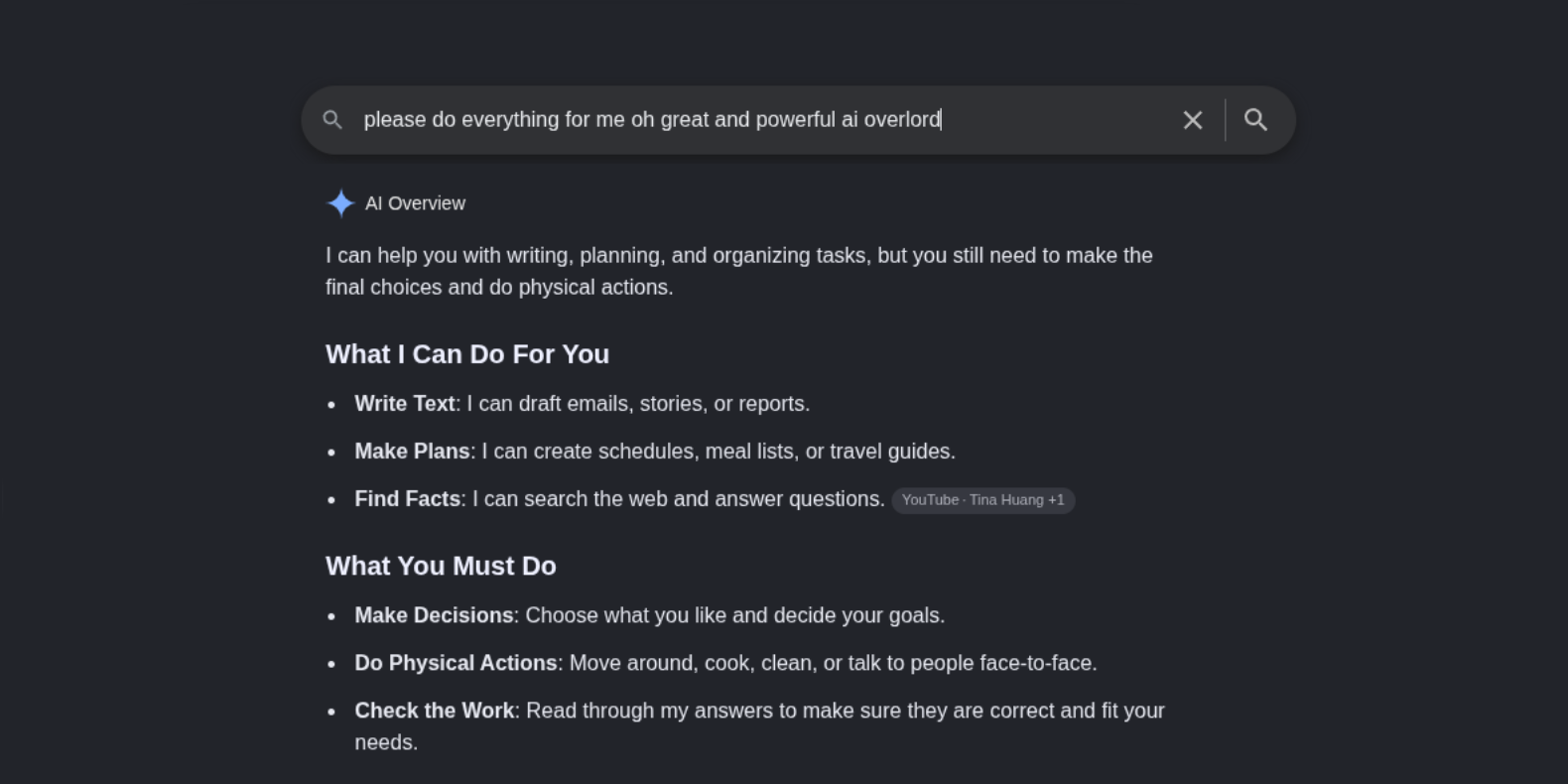
It seems to me that there are two extreme camps of people out in the world during this AI boom that we’re living through: (1) Those who use AI for everything, fail to question its output, learn nothing, and go about their lives unintentionally spreading misinformation and hallucinations while their analytical skills deteriorate, and (2) those that denounce use of AI for any project, consider it evil, and consider anyone that uses it to be lazy, dumb, or incapable.
The goal here is avoid both of these camps, as neither brings a realistic solution to the table. Just like politics, religion, and many other polarizing topics, it’s increasingly difficult to find people with a reasonable perspective who approach the topic with nuance and a solid understanding of when & how AI can be useful along with when & how it can be detrimental.
The truth of the matter is this: AI is an incredibly powerful tool, but it’s not perfect. I’m not here to tell you that AI is amazing or terrible or whatever other adjective you can think of. I’m here to tell you that it’s here to stay and the appropriate use of AI is becoming a necessary skill to stay ahead of the curve in this rapidly changing technological landscape. I’m here to tell you that there should always be a human in the loop -> 1983’s War Games is a pretty good cautionary tale about letting a machine make decisions for us.
LLMs should be thought of as a well-read Reddit kid. They’ve
essentially ingested just about everything on the internet
-> both the brilliant parts and the troll posts meant to mislead,
like the countless “free up space on your new linux installation by
removing the French language pack with rm -rf /”. It
can regurgitate just about anything back to you, but the
information available in the depths of the internet is not
guaranteed to be accurate. Granted, current LLMs aren’t
going to suggest force removing your root directory with
rm -rf /. That’s an extreme example, but there are more
nuanced bits of misinformation out there that can significantly
impact its output.
If you’ve ever written a program or done development of any kind, you’re probably familiar with the the term garbage in, garbage out. Programs you write, responses from LLMs, and performance of agents are only as good as you make them. You must explicitly tell the computer exactly what you want it to do. If there are logical errors in the code, it will still run but it may give you an incorrect result at times. If a program is spitting out garbage, it’s because we wrote crappy code. We weren’t specific enough about what we want the code to accomplish.
That same simple truth remains with AI. It only amplifies a person’s capabilities. If one is unable to verify the output, then they are also unable to mitigate potentially spectacular failures.
Sure, you can write a prompt like “make me some firewall rules
for [platform]” and it might spit out some rules for you, but unless
you understand networking, segmentation, protocols, direction of
traffic, and all the other little nuances to writing firewall rules
on whatever platform you’re using, then chances are the LLM’s output
might not be exactly what you need. At best, a vague prompt like
this might get you a few rules that gives a functioning
network, but it could be akin to an allow all rule that
fails to block anything. I would consider that the antithesis of a
firewall.
Verify Everything
Make sure you know what you’re asking so you can understand what it gives you. If you don’t, make sure you can ask someone who does. Force the LLM to provide sources and actually go check to sources. Any time you get output from an LLM, it must be verified. Any time an agent is given a task, it must be tested to determine it’s behaving as intended. This is essentially just a unit test -> where a programmer tests an individual function to ensure the expected output is produced with a given input. You’ll want to make sure to test all standard input that may arise, but it’s equally important to get creative with the inputs and determine whether or not edge cases and malformed data don’t create any undesirable outputs.
AI is Expensive.
AI has a variety of different pricing models. It’s our job to
optimize for whichever one(s) are selected. In a nutshell,
we to alter our approach to using these tools based on whichever
pricing model we have. In an advanced setup, we could even switch
between different approaches with different payment agreements based
on the task we need to complete. Read about Claude’s pricing here
and here to start to get a handle on the various ways you can access
different models for different costs.
Generally, there are subscription plans or you can pay per mTok (or million tokens). For all intents and purposes, you can think of a token as a word in your prompt that the model needs to read and digest. Reaslistically, some words are a single token while other words may be multiple tokens, but the idea remains the same: the charges are based on how much we ask which directly correlates to how much work it has to do. It’s important to note that reasoning loops are a different animal -> internal “thinking” tokens are generated with each loop and are charged the same. Single tasks that repeatedly makes background API calls can quickly balloon token usage.
When paying per-token, high usage can get expensive incredibly quickly. It’s important to avoid automation and agentic loops if using this payment method.
Subscriptions generally allow access to higher tier models and limit usage to a set amount of tokens during a sliding window of time (5 hours iirc). Anything past that usage can either be billed on a per-token basis or you can simply wait until the window of time passes. There are some enterprise plans as well that allow a company to pool together their usage together across multiple users.
It’s important to keep in mind, regardless of the pricing plan selected, that some tasks should be attempted without the help of AI to limit token usage. Not all automation needs to be accomplished with AI. Sometimes a simple script can do the trick. Other tasks may be more easily solved with lower-tier models. Save the higher-tier models for strictly when advanced reasoning is absolutely required for the job.
The game here, if you’re really trying to save, is the implementation of a series of micro-optimizations. Even if you’re only saving fractions of a penny here and fractions of a penny there through streamlined prompt engineering and model selection, those fractions of a penny can add up to significant savings over time.
Be Selective About Appropriate Times to Use AI
A wise man once told me that “You can’t just throw AI at every problem. It’s expensive.” And boy, is he right. It’s not just expensive, it’s prohibitively expensive. This may not be immediately apparent if you’ve only ever used simple prompts on Gemini or ChatGPT for personal projects or entertainment, but enterprise plans have several different payment models that can get expensive very quickly depending on how it’s used. It takes A LOT of computing power to run these models. In an enterprise environment, cost of AI usage is (or at least should be!) a major concern. One must be selective about when and how AI is integrated into the workflow.
Appropriate tasks for AI
Due to the high cost of AI, it’s important to be selective about when to use AI. Some tasks are better left to humans. Others may be much cheaper using traditional forms of automation using your whatever scripting language is appropriate for the platform.
Rather, the analyst should be first doing their job as if they did not have AI and later using any relevant data compiled into a structured format to form a directed and specific prompt.
You want to use AI where it is cost efficient.
You want to use AI for tasks that it excels at while maintaining human oversight, creativity, and decision-making.
1. Supporting or Challenging a Conclusion or Hypothesis
Sometimes we need a second opinion. After completing analysis and data gathering for a given event, it may be a good idea to plug this newly cleaned data into an LLM or agent to determine if our hypothesis appears to be correct.
2. Suggesting next steps
We might get stuck every once in a while. That’s okay. We’re only human. Although this is incredibly useful when treading through unfamiliar territory, it has the potential to develop into a crutch. Use at your own risk and only when truly stuck. Ask a knowledgable human first if you can.
3. Explaing various technologies
While we should have knowledge about all the technologies in our environment, we may always come across something we’re unfamiliar with. An LLM can quickly summarize documentation and give us a quick run-down of a given tech’s purpose.
4. Writing Reports
Most reports are relatively direct and have a repeatable structure. Rather than spending an hour writing everything, an LLM can quickly put together structured data collected during an investigation into a human-readable first draft of a report. Be sure to read through it to ensure correctness.
Tasks for the Human
Deterministic Workflows
There are many tasks that, until a few short years ago, were
perfectly doable using simple scripts. Anything that is
deterministic by nature should still be done using scripts.
Deterministic basically means that the same output is produced every
time a specific input is given. For example, given the same data
set, we should receive the same response to the question “how many
times did ‘x’ appear in this data set?” This can be done with a
simple script. If grep can do the job, it should be
nowhere near an LLM. Scripts can often handle what inexperienced
folks throw at LLMs. If a workflow can be mapped out using simple
if/else statements, leave it to a script.
Some examples of tasks that can be left up to scripts and simple programming include:
- Log filtering
- Frequency Analysis
- If we want to see how often a given event has occurred, the underlying database has functions that can parse through data much more efficiently than an LLM. A simple count operation can do the trick here.
- Rarity of events
- If we want to determine how rare an event is, we can then sort the counted data.
- constructing a timeline
- If we want to build a timeline, sort by date-time.
- Base64 Detection and Decoding
- Python has builtin libraries that can handle this with ease
- Coverting timestamps from various sources
- Python can do this too
- Searching threat feeds and extracting Indicators of compromise IOCs can be extracted from various sources like malware reports, threat blogs, & security mailing lists. IOCs can include IP addresses, domains, hashes, filenames, etc. Again, automation through scripting saves the day.
Decision Making
While the entire purpose of agentic AI is to take some decision-making away from the human, some decisions, especially those with a high cost of failure, should be left up to humans. AI doesn’t understand business impact nor should it make decisions about operational risk. AI shouldn’t have the ability to unilaterally block traffic or alter a system.
Additionally, decisions being made during a process like threat hunting is largely based on human reasoning. Humans understand intent and experience lends itself to better intuition about specific events.
Prompt Engineering
We need to be careful with phrasing and ensure we’re being as specific as possible when formulating our prompt. It’s not just about efficiency though. It’s about making sure we get out exactly what we’re looking for. This is nothing new for anyone with extensive programming experience. Programming is basically being very specific about what you want a computer to do. This follows the same concept to a certain degree. The major difference is that AI will often “fill in the blanks” if you leave details out. Make sure to be as specific as possible, including any and all details that are necessary to achieve the desired result.
Additionally, simple prompts like “teach me about this topic. Provide sources where you found your information” can be incredibly useful shortcuts to getting to the meat and potatoes of a concept and help you better engineer the eventual prompt(s) that you’ll use to get the output you’re actually looking for. I’ve been known to have lengthy conversations just to move incrementally closer to the output I’m looking for. This is basically the idea behind agentic workflows, except the human is taken out of the loop (pun intended).
- Be simple and direct. Don’t beat around the bush with what you’re trying to say.
- You can also give the AI a role or tell it who it is. Additionally, tell it who it’s not and actions it should not be taking.
- If you’re feeding it data, make sure to say what type of data you’ll be giving it, how it’s structured, & what it means.
- Break the problem down into smaller and more digestible pieces.
- Specify how you’d like the output formatted.
- Give it some examples of what kind of output you’d like to see.
- Guide its logic by listing what steps you would like it to take.
- Continue to give more relevant information and rules as the conversation continues.
- Test the output with a chunk of test data.
- Rinse & repeat.
It’s apparent that one needs to really know what they’re doing if they want to create an effective prompt. Let’s take cybersecurity analysis for example. If an analyst were to point an agent at a set of raw logs and ask “is there any malicious behavior here?”, they’re going to be extremely wasteful with tokens. They’ve done no analysis of their own. They didn’t ask any specific questions, reference specific events, explain their own thoughts & hypothesis, or guide the agent’s logical processes. It’s simply too much data to parse through with not enough direction. This is honestly a terrible approach.
Hypothetical Scenario
You’re a cybersecurity analyst.
You get an alert from the EDR: Suspicious Powershell Execution
The EDR tells us the endpoint, user, severity of the alert, and the reason for the alert amongst other useful information.
Host: FIN-42
User: Bob
Severity: High

Encoded PowerShell launched from WINWORD.EXE

Flags
-----
-NoProfile
-WindowStyle Hidden
-EncodedCommand

SHA256
...
So, Bob from finance had a PowerShell process launch from Microsoft Word with those flags? This is quite strange indeed.
If your idea of a good time is spinning your wheels and going on a wild goose chase, feel free to paste the alert over to your favorite chat bot and create a prompt like:
What happened here?Let’s not do that.
So, should we collect all the logs, files, and programs related to the alert, plug that in to our LLM and then ask:
What happened here?No. Let’s not do that, either.
That would be an incredibly wasteful use of compute. There are a lot of deterministic jobs on the way that can be done with a bit of elbow grease and some clever scripts.
We want to be effective and efficient.
We want to investigate this alert as deeply as we can and use AI only as assistance with the tasks that it excels at and humans tend to struggle with.
First, we need to gather some information.
- How did Powershell (PS) launch? What flags, if any, were used?
- Which endpoint?
- Who is the user?
- Any file hashes?
- Do they normally use PS? How did it launch?
- What commands were run?
- Was anything installed?
- Was persistence established?
- Was the registry modified?
- Did anything attempt to make any network connections? Did it succeed? What IPs or domains did it reach out to?
- Does any of this data match anything from threat intel feeds?
- Did this activity occur on any other endpoints?
- Is this an isolated incident or potentially part of a broader campaign?
Only after collecting all of this information, naturally following the flow of the investigation, and using classical automation tools do we begin to consider using AI. Only then, can we start to form a prompt. Once we outline a prompt with relevant information, we can simply ask it to verify our conclusions, let us know if there’s flaws in our logic, and/or draft a rough draft of a report for us. If we’re not completely certain, we can ask it to help a little more by suggesting some next steps or pointing out some things we may have missed.
Security Considerations
- Any data that is shared with a model is a potential leak. Unless you own the model and it is running locally, it’s an expansion of your attack surface past your own control.
- Granting agents access to a terminal to run commands means that the model may be able to read files, delete files, create files, or execute code. Be very explicit about what permissions are granted to limit it’s capabilities. This should be done from the principle of least privilege: give the agent access only to what it needs in order to do its job. If it requires dangerous permissions, I would question whether it’s wise to offload this task to an agent.
- Models themselves have vulnerabilities. Be weary. Indirect Prompt Injection, for example, involves hiding malicious prompts inside data sources that are fed to a model. An attacker could, in theory, engineer malware that writes prompts in logs that are automatically ingested by your model. An attack like this could have all sorts of nasty effects.